I am linking up with Run! Mrs. Nelson’s Got the Camera for Saturday Snapshots!!!

I really didn’t get a chance to take a lot of pictures this week. I have been totally swamped between working in my classroom, meeting up with my team, and shuffling my own two kiddos around.

I did get mange to get this one snapshot. I met up with some awesome ladies from work to have lunch. These are two my sweet fellow second grade teachers.

This a picture of something I did work on. I always make magnets to send home with the parents on Meet the Teacher night. That way they can have my contact information to my classroom readily available. I thought they turned out pretty darn cute.
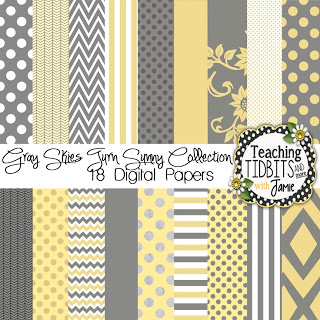
On a different note I did manage to get a few more items added to my TpT shop. I made a digital paper set of grays and yellows. I know that is a fab color scheme right now. I have seen several classrooms set up with those two colors and they go great together. I thought these papers would be great to make labels or products for your TpT shop. I also added a set of chalkboard frames. I left them solid, that way whoever needed them could go in and add their own colors to them.

Remember to follow me at TpT and Bloglovin’!!! Thanks for stopping by and taking a peek!





You are too good Jamie. I would love for you to teach me how to make some digital papers. I know I could google it. Was it hard? I'm so impressed with your tech skills. YOU ROCK. I definitely want to purchase some of your cute stuff. Your magnet is darlin'. It would match my room perfectly.
It is not that hard. My friend came and gave me a few mini lessons on how to make patterns in photoshop. Once you have a pattern set you just have to go in adjust size and color. There is a good tutorial on You Tube for making polka dot paper using photoshop. This summer has definitely been one for learning how to do a few tech things. Just remember me if you ever need any cute digital papers!
Jamie
Your magnets turned out so cute! I'm ashamed to say all I do is stick one of my free business cards onto a piece of strip magnet for my parents. I'll have to follow your lead next year and create something cute. Thanks for sharing!
Thank you so much for the sweet comment. Thanks for stopping by.
Jamie
Jamie,
I love the magnet idea! Did you do it yourself or through Vistaprint?
Lori
Life in Room 24
I did it my self. I designed it in photoshop then print it out. Thanks for the sweet comment.
Jamie
I really love your digital paper! I'm going to add it to my wishlist.
-Lisa
Grade 4 Buzz
Oh, please do! Remember me if you ever need any digital papers. I am planning on adding more to my TpT shop.
Jamie
I love the gray and yellow! The magnets are a great idea too.
Thank you so much for stopping by.
Jamie
Your magnets are super cute! I guess I should go add those to my to-do list!!! Your papers are really pretty, too!
Becca
Kindergarten A to Z
Thank your for the sweet comment!!
Jamie
The magnets are a great idea! Although, I don't know if I want some of my parents contacting me! I think your digital papers are awesome!